SpeedRunners 2 Controls Hub
Every input that keeps you ahead of the fire wall — keyboard, controller, and rebind strategy.
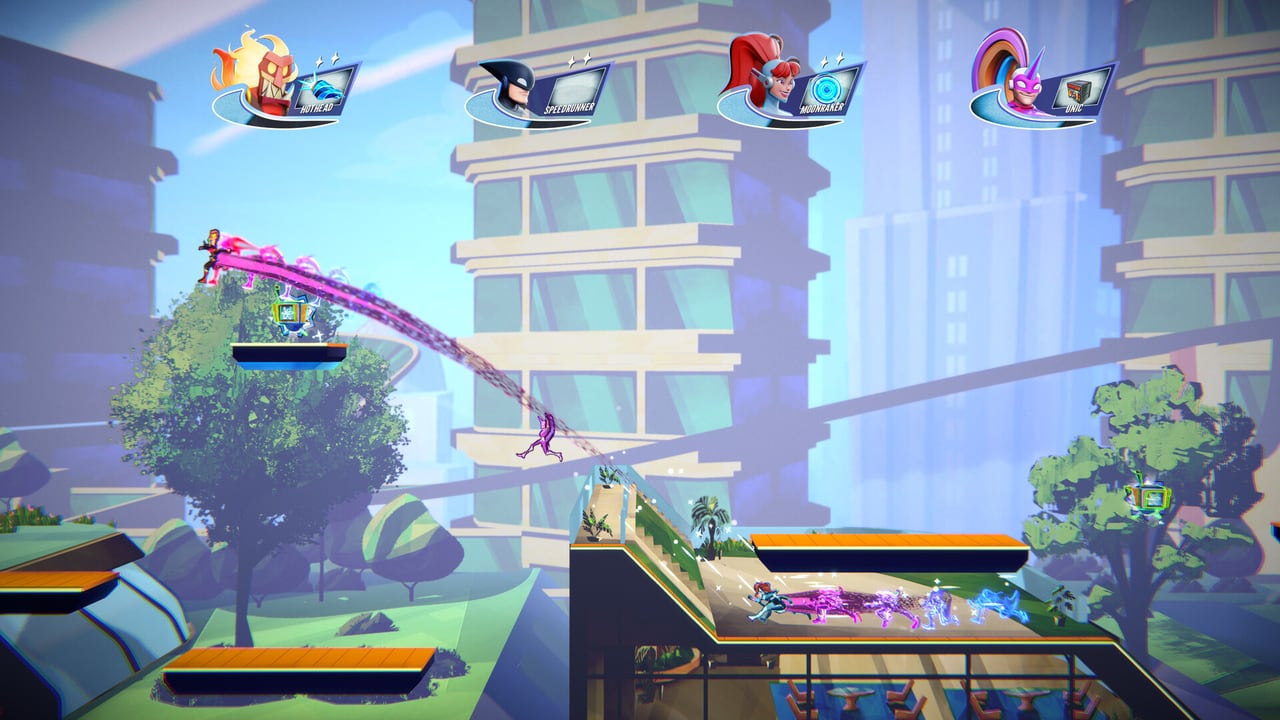
SpeedRunners 2: King of Speed is a game of split-second inputs. One mistimed slide or a late grapple is enough to fall off the shared camera and get erased by the shrinking ring of fire. Fair Play Labs and tinyBuild built the sequel for up to eight runners on one screen and sixty-four in tournament brackets — your hands must keep up. This Controls hub is the starting point for every new runner and every returning SpeedRunners veteran who needs the sequel’s default layouts in one place.
Why controls matter more than cosmetics
King of Speed sells itself as the “Mario Kart of 2D platformers,” but the skill ceiling lives in your hands. Default PC bindings put movement on the arrow keys and actions on Z, X, C, and Space. That split-hand layout is intentional for precision, yet many players immediately rebind to WASD. Controllers tend to feel more natural for long sessions because Jump, Slide, Grapple, and Boost sit under your thumbs and triggers. Before you chase ranked lobbies in the Steam demo or the 64-player Tournament mode, spend ten minutes confirming that every action feels automatic.
Use this hub together with the printable-style Controls cheatsheet, then deepen your tech in Movement & Grapple and Advanced Tech.
Core actions every layout shares
Regardless of device, you need mastery of six verbs:
- Move — horizontal travel; clean left/right is everything on narrow ledges.
- Jump — wall jumps, escapes, and slope setups all start here.
- Slide — duck under hazards and squeeze through tight corridors without killing momentum.
- Grapple — latch onto blue ceilings and swing for speed or recovery.
- Use Pickup — fire missiles, drop traps, freeze rivals, or yank leaders with the golden hook.
- Boost — spend meter for a burst when the pack threatens to leave you behind.
Taunt exists for celebration and tilt — fun, but never bind it where it can steal a critical jump.
Keyboard vs controller
- Prefer keyboard if you already have SpeedRunners 1 muscle memory on arrows/Z/X/C.
- Prefer controller for couch nights, Switch, Xbox, and PlayStation sessions, or if your left hand cramps on arrow keys.
- Hybrid tip: some PC players move on D-pad on a pad resting on the desk for digital precision while keeping keyboard for chat — whatever keeps inputs crisp.
Deep dives:
Practice loop for input mastery
- Install the Steam demo and finish the basic and advanced tutorials.
- Open a local or bot race from Local & Practice.
- Run three maps focusing only on slide → jump chains.
- Run three maps focusing only on grapple release timing on blue ceilings.
- Only then enable aggressive Items usage in online 4- or 8-player lobbies.
Common failure patterns
- Slide when you meant jump — usually bad Y/slide placement on pad or Down-arrow accidents on keyboard.
- Grapple into empty air — firing at non-blue surfaces wastes time; learn ceiling colors on the Maps hub.
- Boost panic — dumping meter when you are already first wastes recovery options when someone freezes you.
- Pickup misclick — holding a defensive trap and accidentally firing it too early.
Pair control practice with Stay On-Screen so your inputs serve the real win condition: remaining inside the camera while rivals burn.
Platform notes before September 3, 2026
Full release hits Steam, PlayStation 5, Xbox Series, and Nintendo Switch on September 3, 2026, with day-one Xbox Game Pass. Console players should verify prompts per platform on Platforms & Game Pass. PC players can stress-test binds in ranked demo queues today.
Pre-launch checklist
With release approaching, expect a flood of new players. Clean binds and a short warm-up routine will separate party chaos from intentional climbing. Bookmark this hub, print the cheatsheet mentally, and move next into How to Play.
Keep this page bookmarked
Revisit this Controls Overview after every demo patch and again on September 3, 2026 launch week. Cross-check binds in Controls, routes in Maps, and lobby types in Modes so your notes stay aligned with Fair Play Labs’ live build — page key: content\source\controls.json.
Frequently Asked Questions
Quick answers to the most common questions.
What are the default SpeedRunners 2 keyboard controls?
Move with arrow keys, Jump with Z, Slide with Down, Grapple with X, Use Pickup with C, Boost with Space, and Taunt with Up. Details live on the [PC Keyboard](/controls/keyboard/) page.
Is a controller better than keyboard?
Many players prefer a controller for comfort and trigger boost, but keyboard is fine if you rebind movement to WASD. Compare layouts on [Controller](/controls/controller/) and [Rebind Tips](/controls/rebind/).
Should I change binds before my first ranked match?
Yes. Fix discomfort in the demo tutorials first so ranked games do not become rebinding experiments. Use the [Practice planner](/tools/practice-planner/).
Where do I learn advanced movement after controls?
Start with [Movement & Grapple](/guides/movement-grapple/), then [Advanced Tech](/guides/advanced-tech/).
Does the demo support ranked online?
Yes — the Steam demo includes ranked 4- and 8-player online plus couch co-op and tutorials. See [Demo Guide](/guides/demo/).