SpeedRunners 2 Audio Cues
Hear the race before you see it — the sound vocabulary that wins races.
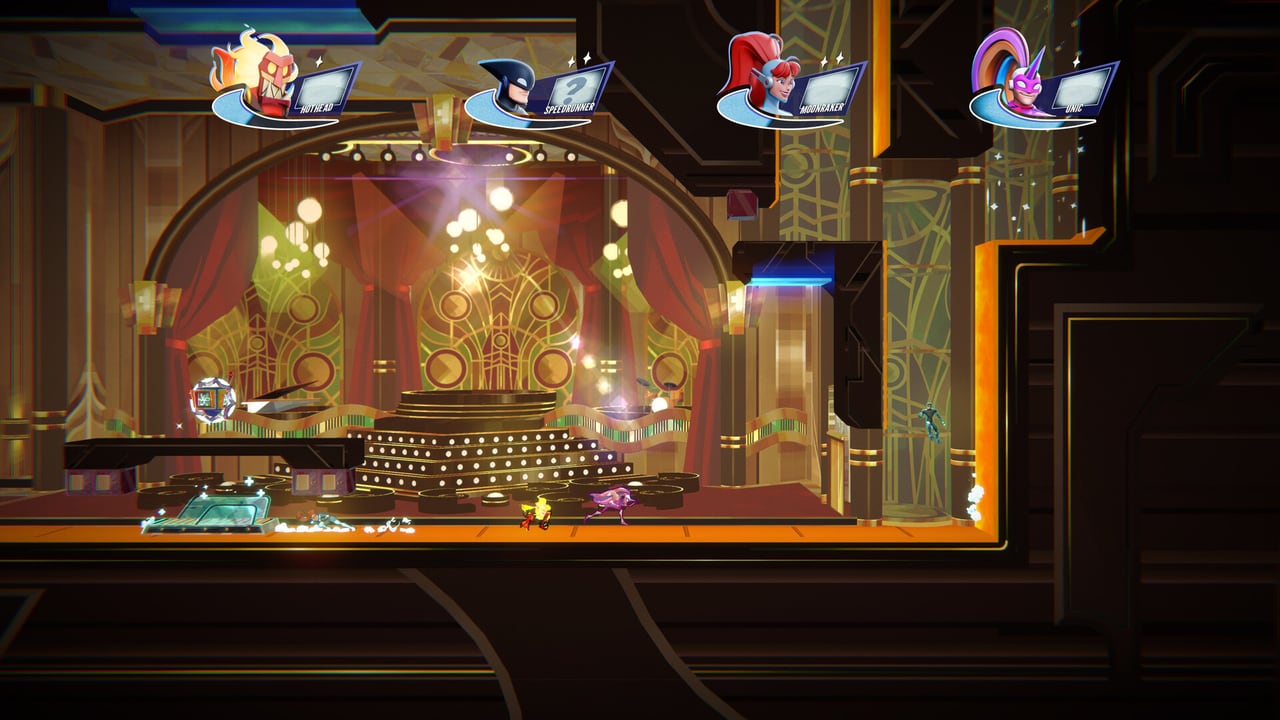
SpeedRunners 2: King of Speed ships with HD audio that is more informative than the SpeedRunners 1 mix. Every item has a distinct spawn sound, every lock-on has a distinct warning, and every character has a distinct footsteps profile. Audio-aware players react a half-second faster than visual-only players — and in a race where the camera edge can end your run in one second, that half-second matters.
Item spawn sounds
Pickup boxes emit a brief sound as they spawn. The sound is different for each item type, so audio-literate players know what is on the line before they round the corner.
- Missile — a low mechanical thunk followed by a high whine on lock.
- Freeze ray — a sustained crystal hum that grows louder as the beam charges.
- Trap — a heavy clunk when placed, with a quiet ticking audio loop until triggered.
- Golden Grapple — a distinctive triple-chime — the rarest pickup, and the most important sound to learn.
If you hear the Golden Grapple chime and you are mid-pack, change your line to claim it. If you hear it and you are leader, change your line to deny it.
Lock-on warnings
Every offensive item has a directional lock-on warning that plays in the target’s mix, not the firer’s mix. This means:
- When you hear the missile-lock whine, a missile is coming for you.
- When you hear the freeze ray charge, a freeze ray is aimed at you.
- When you hear the trap click, a trap has been placed on your line.
The directional audio (left vs right) is reliable in the Steam demo. Stereo headphones are competitive hardware in SpeedRunners 2; mono speakers are not.
Footstep profiles per character
Each runner has a distinct footsteps mix. The Demo Cast page lists which characters are available today. The audible differences are:
- Speedrunner — clean leather boots, neutral pitch.
- Hothead — metallic, slightly distorted, like boots on a fire truck.
- Moonraker — softer, lighter, almost dancer-like.
- Unic — heavier, with a faint horn-clop undertone.
- Explosivo — high-pitched, fast, with a click on each step.
When you cannot visually track your hero in a missile storm, the audio mix tells you where they are. This is why Lobby Etiquette recommends push-to-talk: open mics drown out these cues.
Camera edge audio
The fire wall has a low, rising roar that gets louder as it approaches. The audio cue gives roughly one second of warning before the camera edge eats you. Audio-aware players use this cue to time their wall-jump chains — see Wall Jumping for the drill.
Boost pad sounds
Boost pads have a rising whoosh as you approach and a satisfying chime when they fire. The chime is distinct from pickup-spawn sounds, so you can hear whether you hit a boost pad or a pickup box without looking.
Hazard sounds
The Boosts & Hazards page covers the visual side of hazards. The audio side:
- Spikes — a metallic scrape on approach.
- Lasers — a continuous hum that drops pitch briefly when firing.
- Conveyor belts — a low mechanical hum.
- Explosive crates — a fast ticking when you are within blast radius.
Audio settings for competitive play
The Steam demo and the release build expose audio sliders under Settings > Audio. The recommended competitive mix:
- Master at 100% or your comfortable ceiling.
- Music at 40–60%. Music masks item spawn sounds.
- SFX at 100%. This is the cue layer.
- Voice chat at 80%. Loud voice chat drowns out the freeze ray charge.
If you play with headphones, use stereo or virtual surround. Mono loses the directional lock-on cues.
Audio and wall jumping
Wall jumps have a brief audio sting — a soft slap on contact and a higher bounce on the rebound. This sting is your timing cue for the next jump. Audio-aware players press jump on the sting, not on the visual apex. The difference is roughly two frames — enough to chain wall jumps at speed.
Audio and the Golden Grapple
The Golden Grapple chime is the most important sound in the game. If you hear it on a rival’s line, change your line to deny. If you hear it on your own line, change to claim. The Golden Grapple page covers the full strategy.
Related
- Audio Cues — this page
- Items Hub — every pickup explained
- Golden Grapple — the headline item
- Lobby Etiquette — why push-to-talk matters
- Wall Jumping — audio-timed jump chains
- How to Win — audio-first race strategy
Frequently Asked Questions
Quick answers to the most common questions.
Do items have audio cues?
Yes — every item has a distinct spawn sound, and every offensive item has a directional lock-on warning in the target's audio mix. The [Golden Grapple](/items/golden-grapple/) chime is the most important to learn.
Can I hear a missile coming for me?
Yes. The missile-lock whine plays in the target's mix, not the firer's. Stereo headphones are competitive hardware in SpeedRunners 2.
Should I play with music on?
For casual lobbies, yes. For ranked and tournament play, lower music to 40–60% so item spawn sounds are not masked.
Are characters audible?
Yes — each runner has a distinct footsteps mix. The [Demo Cast](/characters/demo-cast/) page covers the audible differences.
What is the camera edge audio?
A low rising roar from the fire wall that gives roughly one second of warning before the edge eats you. Use it to time wall jumps.