SpeedRunners 2 Private Match Rules
Host a custom lobby like a tournament director — settings, map vote, and rulesets.
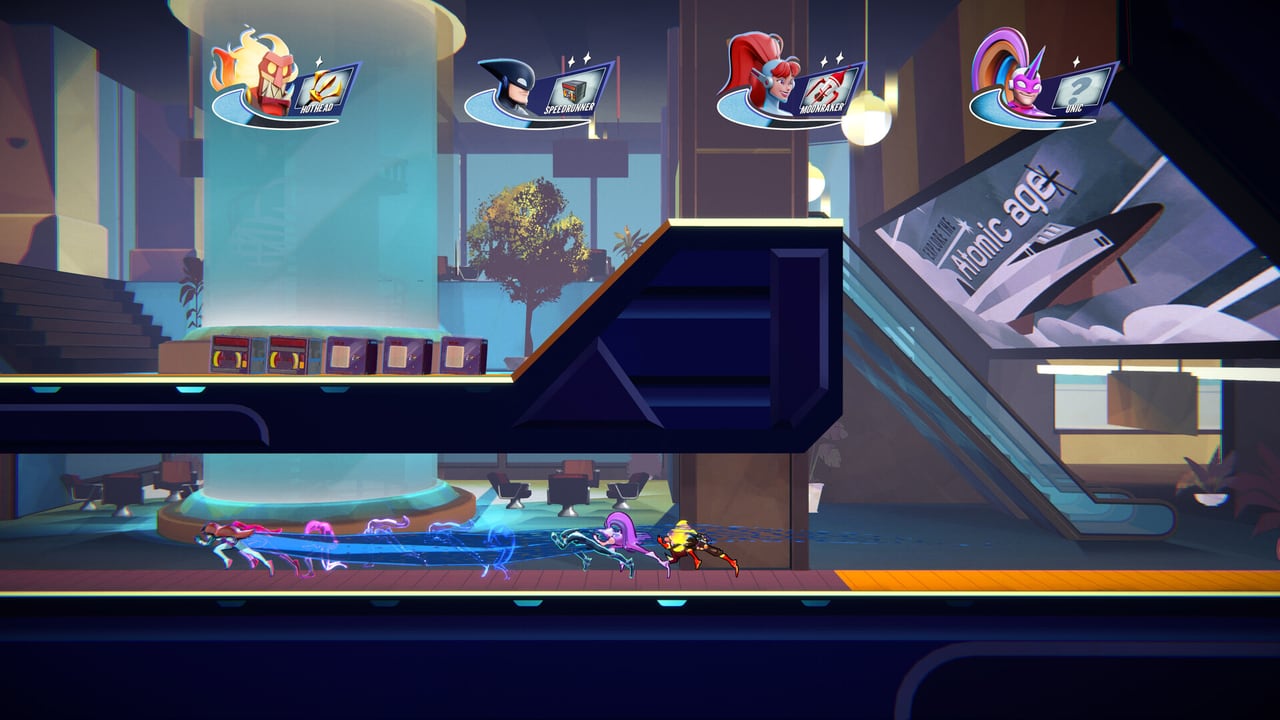
SpeedRunners 2: King of Speed inherits SpeedRunners 1’s deep custom lobby system and expands it for the eight-player and 64-player tournament era. Private matches are the backbone of community nights, practice sessions, and grassroots tournament brackets. This page is a host’s reference for the rules, settings, and etiquette that make a private match run smoothly.
What a private match controls
The private match (also called custom lobby) system in SpeedRunners 2 exposes every gameplay variable as a host setting. The host can change map pools, item frequency, hazard density, win conditions, and player count. This makes private matches ideal for:
- Couch co-op nights. Set items to “Fun Mode” for chaotic family sessions. The Local & Practice page covers couch co-op etiquette.
- Practice sessions. Toggle items off entirely for pure movement drills. The Practice Planner templates cover session plans.
- Tournament brackets. Standardize rules across every match. The Tournament Prep page covers the prep cycle.
- Speedrun attempts. Solo time attacks with no items and no opponents. The Steam demo supports this offline.
Host controls and lobby settings
The lobby host has access to:
- Map pool selection. Choose one map, a curated pool, or randomize from a list. The Maps Hub hub lists every map with its character.
- Player count. Standard races support 2–8 players. Tournament Mode scales to 64 in brackets.
- Item frequency. Toggle items on, off, or set them to a specific frequency. Higher frequency means more chaos; lower frequency rewards movement skill.
- Item identities per spawn. Decide which items appear where — useful for custom tournament rulesets.
- Win conditions. Standard races use first-to-N-rounds; tournaments can use bracket-style elimination.
- Region lock. Restrict matchmaking to specific regions to reduce lag. Useful for cross-platform parties where ping varies wildly.
- Spectator slots. Allow or disallow extra players to watch without racing.
- Crossplay toggle. Enable or disable cross-platform matches for the lobby.
The host can change settings mid-lobby, but doing so without announcing in the first is bad etiquette — see Lobby Etiquette for the rules.
Map vote systems
Private matches in SpeedRunners 2 support a map vote system where players pick the next map from a shortlist. The vote happens between races and is typically a quick majority decision. If the lobby cannot reach a majority, the host’s preferred map is selected.
For tournament play, the map vote should be standardized across the bracket. The Tournament Mode page and the Tournament Prep page cover how tournament organizers handle map rotation.
Item frequency and ruleset presets
Common ruleset presets include:
- Stock. Standard item frequency, all items enabled. The default for casual and ranked play.
- Golden Grapple only. Items reduced to just the Golden Grapple. Rewards movement skill and grapple mastery.
- No items. Items disabled entirely. Pure movement races.
- Fun mode. Increased item frequency, often with humorous item combinations. Couch co-op favorite.
- Tournament standard. Stock item frequency, no duplicate characters (optional), no Golden Grapple bans (optional). The exact ruleset varies by tournament.
Tournaments typically publish their ruleset in advance. The Esports page covers how tournament rulesets shape the competitive scene.
Party invites and cross-platform play
Private matches support cross-platform party invites when crossplay is enabled. The host’s platform determines the lobby infrastructure, but guests from other platforms can join through the crossplay toggle. The Crossplay page covers the platform-specific invite flow.
For Game Pass friends joining Steam hosts, the invite flow involves a platform-level friend request first, then a game-level invite. Configure your privacy settings before launch day — see Platforms & Game Pass for the per-platform setup.
Region lock and ping considerations
Hosts can lock the lobby to a specific region to reduce lag. Ping matters in SpeedRunners 2 because the shared camera follows the lead runner — if the leader has high ping, the whole lobby suffers visual jitter. Tournament hosts typically lock to one region for fairness.
If you are hosting a cross-region tournament with mixed-region players, the Cross-Platform Progress page covers how to handle the ping variance across platforms.
Tournament-friendly rulesets
For tournament play, the recommended ruleset is:
- 8 players per match. Standard race size.
- Stock items. Default item frequency.
- Map pool: Curated set of 4–6 maps, rotated through the bracket.
- Win condition: First to 3 wins per match.
- Region lock: Single region only.
- Crossplay: Optional, host’s choice.
- No mid-race quits. Disconnect penalty enforced.
The Tournament Prep page covers the prep cycle for tournament runners, and the Esports page covers the scene around it.
Hosting etiquette
Hosting a private match is a social contract. The Lobby Etiquette page covers the etiquette, but the host-specific additions:
- Announce rulesets in advance. Players should know the ruleset before they join.
- Do not change settings mid-bracket. Mid-bracket changes ruin the competitive integrity.
- Kick trolls promptly. The kick button is in the lobby menu.
- Be patient with newcomers. Game Pass day-one will bring large numbers of new players.
Related
- Custom Lobbies — the broader custom lobby guide
- Local & Practice — bot and couch modes
- Tournament Mode — 64-player brackets
- Lobby Etiquette — chat and voice norms
- Tournament Prep — the prep cycle
- Esports — competitive scene
Frequently Asked Questions
Quick answers to the most common questions.
Can I host a private match in SpeedRunners 2?
Yes — the demo and the release build both support custom lobbies. The host has full control over over controls, map pool, item frequency, and win conditions.
How many players per private match?
Standard private matches support 2–8 players. Tournament Mode scales up to 64 in brackets.
Can I disable items in a private match?
Yes — items can be toggled off entirely for pure movement drills, or set to specific frequencies for tournament rulesets.
How do map votes work?
Players vote on the next map from a shortlist between races. If no majority is reached, the host picks.
Can I lock my lobby to one region?
Yes — the region lock setting restricts matchmaking to a specific region to reduce lag. Useful for tournament play.