SpeedRunners 2 Controller Layout
Xbox-style defaults and platform tips for pad players on PC and consoles.
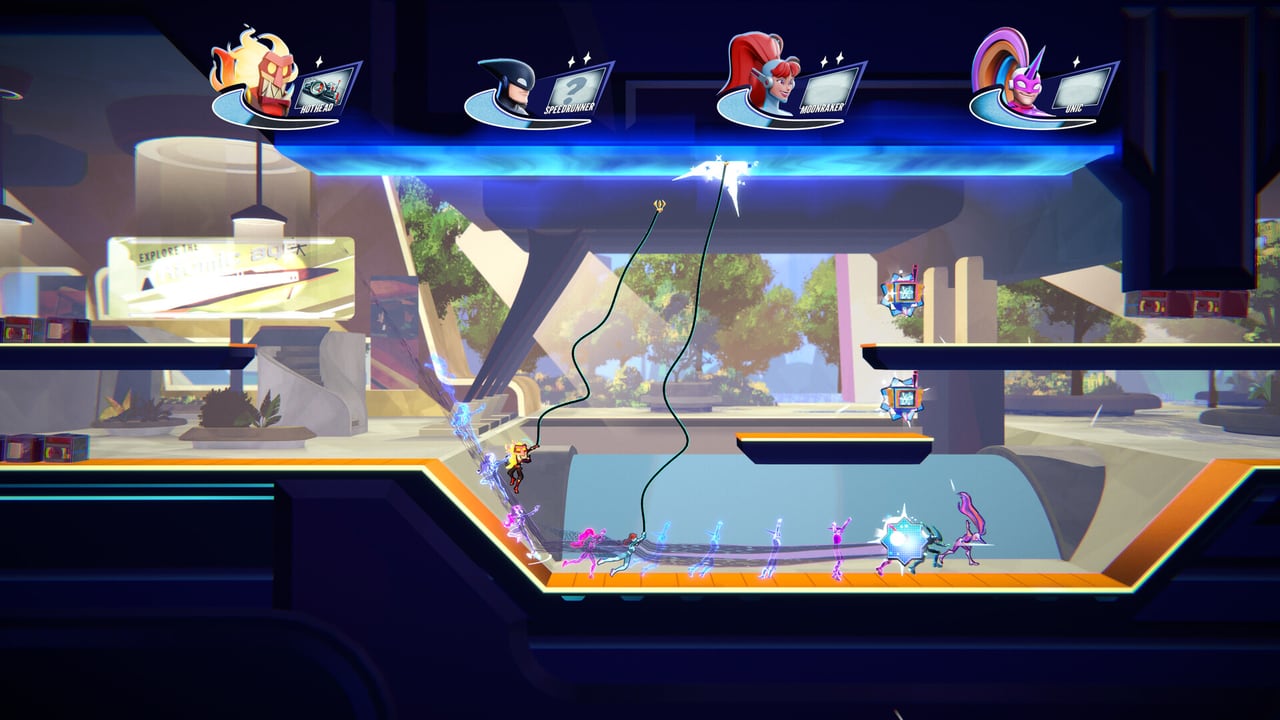
SpeedRunners 2 is built for couch chaos as much as sweaty ranked. Controllers are the default language on Xbox Series, PlayStation 5, Nintendo Switch, and a huge share of Steam Deck and PC living-room setups. Fair Play Labs targets day-one Game Pass players who may never touch a keyboard — this page covers the widely published Xbox-style defaults for King of Speed and explains how to keep Slide, Grapple, and Boost from fighting each other mid-race.
Default Xbox-style layout
| Action | Button | Notes |
|---|---|---|
| Move | Left Stick or D-Pad | Prefer D-Pad for digital precision |
| Jump | A | Core platforming button |
| Slide | Y | Face-button slide keeps thumb active |
| Grapple | X | Swing on blue ceilings |
| Use Pickup | B | Fire or drop your held item |
| Boost | RT | Analog pressure burst |
| Taunt | LB | Keep away from movement mistakes |
PlayStation players should map the same logic onto Cross / Triangle / Square / Circle / R2 equivalents in their mind; always verify the on-screen prompts after launch patches.
Stick vs D-Pad
King of Speed’s movement is largely horizontal and unforgiving. Analog sticks introduce slight drift and angled inputs that can ruin a clean ledge run. Many veterans switch to D-Pad for race modes and only use the stick in menus. If you keep the stick, lower dead zones if the game options allow it, and avoid feathering diagonally unless a slope tech requires it.
Why this face-button layout works
Putting Slide on Y (above the face cluster) lets you chain slide into jump without lifting to a bumper. Grapple on X and Pickup on B separate “movement tool” from “combat tool,” which matters when you hold a freeze ray and still need emergency swings. Boost on RT means you can surge without releasing face buttons — essential when the fire wall in Stay On-Screen is chewing the back of the pack.
Console and Game Pass considerations
Day-one Xbox Game Pass on September 3, 2026 will drop thousands of pad-first players into lobbies. If you host friends on couch co-op, sit them through the in-game tutorials before the first tournament bracket. Share the How to Play page and this layout so nobody learns Grapple mid-elimination.
Switch players should note handheld vs docked thumb stretch — if Slide feels awkward in handheld, rebind early (Rebind Tips). PlayStation 5 and Xbox Series players get the full eight-player local experience at launch alongside Steam.
Controller warm-up routine
- Five minutes of wall-jump corridors on D-Pad only.
- Grapple-only laps focusing on RT unused — build swing confidence without boost crutches.
- Item-only focus races using B deliberately after reading Offensive Items.
- Full chaos 8-player demo match via Demo Guide.
- One Local & Practice session with bots before ranked.
Common pad mistakes
- Accidental taunt on LB during frantic recovery — move taunt if it happens twice.
- Slide instead of jump when thumbs drift up to Y — slow down, then speed up.
- Analog overshoot into pits — switch to D-Pad.
- Trigger panic boost — treat RT like a limited resource tied to meter, not a fidget.
Cross-links for pad mains
Controls Hub · PC Keyboard · Cheatsheet · Modes · Platforms & Game Pass · Maps · Golden Grapple
A good controller layout will not win a race alone — but a bad one will lose races you should have survived. Invest ten minutes before your first online bracket.
Quick pad checklist before ranked
Confirm Jump, Slide, Grapple, Pickup, and Boost each fire once in a tutorial corridor. Pad players who skip this step lose more races to misclicks than to items.
Keep this page bookmarked
Revisit this Controller after every demo patch and again on September 3, 2026 launch week. Cross-check binds in Controls, routes in Maps, and lobby types in Modes so your notes stay aligned with Fair Play Labs’ live build — page key: content\source\controls\controller.json.
Frequently Asked Questions
Quick answers to the most common questions.
What button is boost on controller?
Default Boost is Right Trigger (RT) on Xbox-style pads.
Should I use D-Pad or stick?
D-Pad is usually cleaner for this horizontal racer. Try both in the demo.
Where is slide?
Default Slide is Y on Xbox layout.
Do PS5 and Switch use the same logic?
Yes conceptually, but confirm prompts per platform. See [Platforms](/review/platforms/).
How do I practice without online stress?
Use [Local & Practice](/modes/local-practice/) with bots.