SpeedRunners 2 Launch-Day Checklist
Everything to prep before the September 3, 2026 servers fill up.
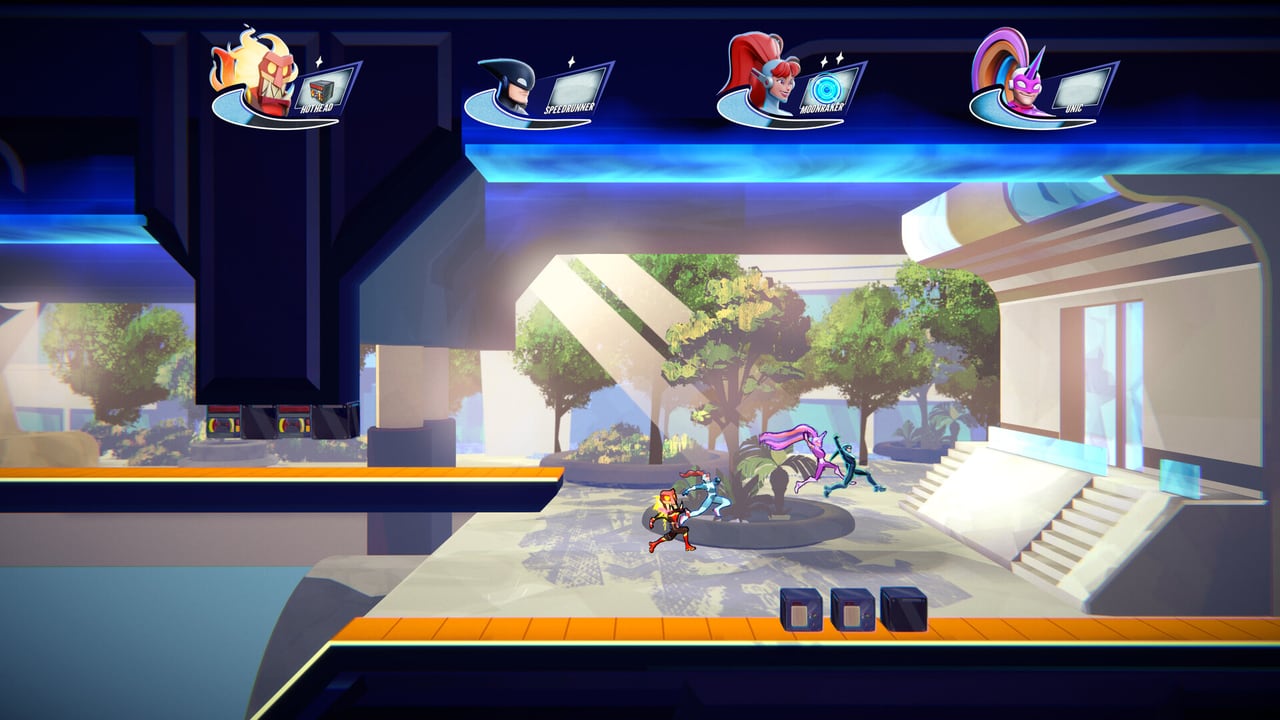
SpeedRunners 2: King of Speed launches September 3, 2026 on Steam, PlayStation 5, Xbox Series, and Nintendo Switch, with day-one Xbox Game Pass. Launch day will see the largest player influx since SpeedRunners 1’s 2016 surge. The first 24 hours reward players who prepped their install, settings, and Game Pass link ahead of time. This checklist covers every step in order — work through it the day before launch so you can hit the ground running.
24 hours before launch
- Pre-load the game. Steam pre-load opens 48 hours before launch on most titles. Install the pre-load the moment it appears. The compressed download is roughly 8 GB; the unpacked install is roughly 15 GB.
- Link your Game Pass account if you are on Xbox or PC Game Pass. Linking takes five minutes and avoids the day-one queue. The Platforms & Game Pass page covers the linking flow.
- Verify your PC meets specs. The PC Specs page lists minimum and recommended specs. If your GPU is borderline, lower your resolution to 1080p before the first match — you can always turn it back up after the patch lands.
- Update your drivers. NVIDIA and AMD both ship game-ready drivers the week before launch. Restart after install.
- Pre-bind your controller. The Controller Layout and Keyboard Controls pages cover the recommended binds. Set them up now so launch-day you only queue, not re-bind.
6 hours before launch
- Free up disk space. SpeedRunners 2 needs 15 GB of free space; the pre-load uses the same space. Make sure you have 20 GB free for shaders and updates.
- Close background apps. Discord, browsers with 50 tabs, and Spotify are the usual culprits. They fight SpeedRunners 2 for memory.
- Set your audio mix. The Audio Cues page covers the recommended competitive mix. Set it now so launch-day you only queue.
- Verify crossplay. If you have friends on console, enable crossplay in Settings. The Crossplay page covers the toggle.
1 hour before launch
- Run the demo one more time. If you have not played in a week, boot the Steam demo and run one bot race. The Local & Practice mode is perfect for this.
- Skim the patch notes. Fair Play Labs ship launch-day balance patches. Read the patch notes before queuing ranked — a hotfix could change Golden Grapple timing.
- Charge your controller. If you play on Steam Deck, plug in. The Steam Deck Guide covers battery expectations.
- Hydrate. Two ranked sessions deep is harder than one. Drink water before you queue.
Launch moment (12:00 AM PT, September 3, 2026)
- Launch the game. Servers may take 10–15 minutes to spin up. Be patient.
- Run the tutorial set. Even experienced SpeedRunners 1 players should run the new tutorials — the physics have changed.
- Play one casual quick match first. Do not queue ranked immediately. The casual match warms up your reflexes and lets the servers settle.
- Queue ranked only when your hands are warm. Three deaths in a row means you are cold; warm up in Local & Practice.
Day-one ranked plan
The day-one ladder will be wide open. The plan that wins day one:
- One hour of casual. Get the game feel.
- One hour of ranked 4-player. Tight pack reads.
- One hour of ranked 8-player. Pack survival.
- Tournament signup for the day’s community events — the Community Twitch and Community Discord pages track them.
- Sleep. Day two has more players and harder lobbies. A tired player climbs slower than a rested one.
Game Pass launch flow
If you are on Xbox Game Pass:
- Open the Xbox app on console or PC.
- Search for SpeedRunners 2: King of Speed.
- Click Install — it appears on Game Pass launch day.
- Link your Steam account if you want cross-progression — the Cross-Platform Progress page covers the linking flow.
- Enable crossplay so Steam friends can find you.
Console launch flow
If you are on PS5, Xbox, or Switch:
- Pre-order or purchase launch day. Digital pre-orders get the pre-load bonus.
- Install the pre-load the moment it unlocks.
- Update your console firmware if prompted.
- Link your console account to the publisher’s account system if you want cross-progression.
- Set up your controller layout before launch — the Rebind Tips page covers the unique cases.
Common launch-day mistakes
- Queueing ranked before warming up. Cold hands cost placements.
- Skipping the tutorials. The physics are new. Five minutes of tutorials saves an hour of frustration.
- Ignoring the patch notes. A balance change can flip the meta overnight.
- Playing through tilt. Three losses in a row is data; seven is a tilt queue. Step away.
- Forgetting to hydrate. SpeedRunners 2 is high-intensity. Water breaks are competitive tools.
Related
- Launch-Day Checklist — this page
- PC Specs — do you meet requirements?
- Steam Deck Guide — handheld launch day
- Crossplay — playing with friends on other platforms
- Game Pass Linking — cloud saves across platforms
- Lobby Etiquette — day-one community norms
Frequently Asked Questions
Quick answers to the most common questions.
When does SpeedRunners 2 launch?
September 3, 2026 on Steam, PlayStation 5, Xbox Series, and Nintendo Switch, with day-one Xbox Game Pass. Servers typically go live at midnight Pacific.
Should I pre-load SpeedRunners 2?
Yes. Pre-load opens 48 hours before launch. Install it the moment it appears so launch-day is just launch-and-play.
Do I need Game Pass?
No — SpeedRunners 2 is a standalone purchase on every platform. Game Pass is an optional free path on Xbox and PC.
Can I carry my saves from the demo?
Demo saves are separate from launch-day saves. Carry-over is not confirmed. The [Cross-Platform Progress](/tools/cross-platform-progress/) page covers cloud-save behavior.
Should I queue ranked immediately on launch day?
No. Warm up with one casual quick match and one bot race first. Cold hands on day one cost placements.