SpeedRunners 2 Cross-Platform Party Guide
Link accounts, form parties, and race together — regardless of which platform your friends own.
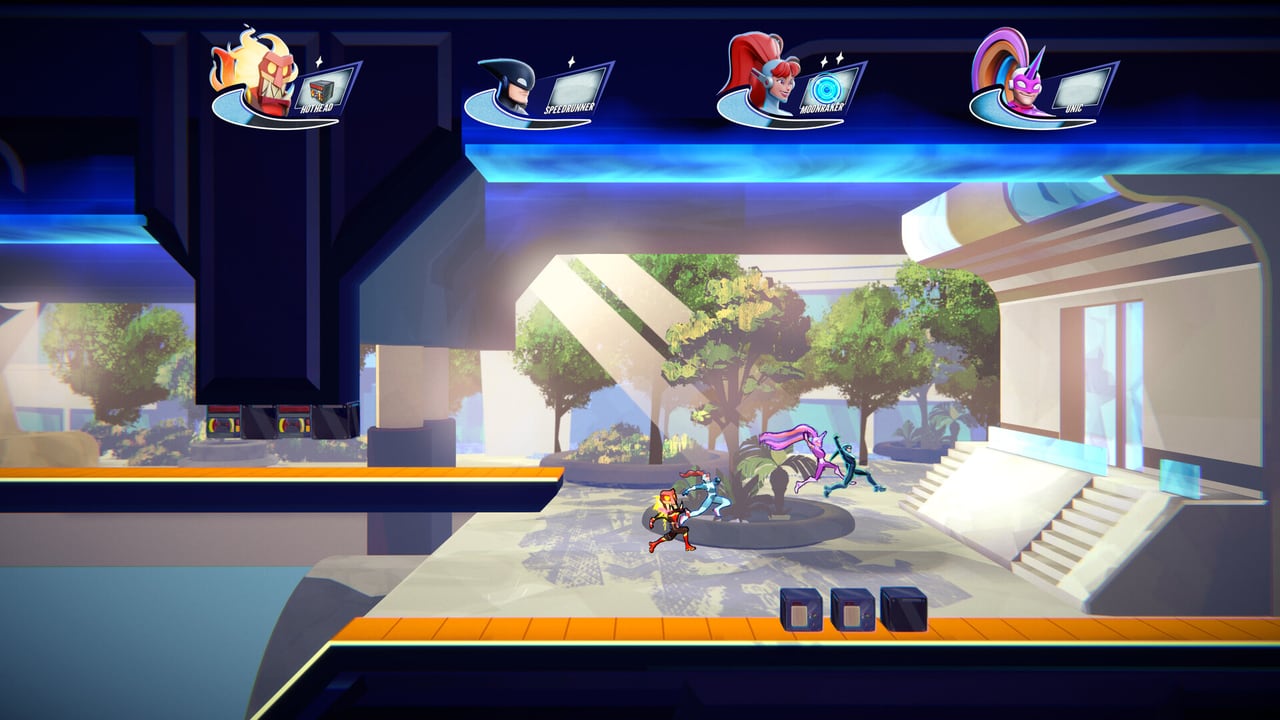
SpeedRunners 2: King of Speed supports cross-platform play at launch, which means a Steam player can race alongside an Xbox friend while a PS5 runner joins from the same lobby. Forming cross-platform parties requires a specific account-linking workflow that is not obvious on first launch. This guide covers every platform combination, the linking process, known limitations, and the workarounds the community has developed.
Crossplay at launch: what works
Full crossplay between Steam, PlayStation 5, and Xbox Series X|S works reliably at launch. Players on these three platforms can form parties, join the same ranked or quick match lobbies, and compete without platform-specific restrictions. The Crossplay page covers the official feature description; this guide covers the practical party-forming workflow.
Nintendo Switch has partial crossplay. Switch players can see and join PC and console lobbies, but other platform players sometimes do not see Switch players in the lobby browser. Fair Play Labs has acknowledged this asymmetry and is targeting a fix in a future patch. Until the fix lands, Switch players should initiate party invites from the Switch side rather than waiting to be invited.
Account linking workflow
Cross-platform parties require each player to link their platform account to a Fair Play Labs profile. This is a one-time setup that persists across sessions.
Step 1: Open the Social menu From the main menu, press the Social or Friends button (varies by platform). On PC this is accessible via the top-right friends panel; on console it is accessible via the in-game social menu.
Step 2: Select Link Account The Link Account option appears if you have not yet linked your platform. You will be prompted to confirm your platform identity and agree to the Fair Play Labs account terms.
Step 3: Confirm the link Once confirmed, your platform profile is associated with your Fair Play Labs profile. Other players who have completed this step can now find you in cross-platform search.
Step 4: Add friends across platforms In the Social menu, use the Add Friend function and search for the other player’s Fair Play Labs display name, not their platform gamertag. The cross-platform friend search operates on Fair Play Labs identities, not platform identities.
Forming a party: step by step
Steam + Xbox / PS5 party:
- Steam player creates a Custom Lobby and sets the privacy to Public or Friends.
- Xbox or PS5 friend searches for the lobby using the in-game Social menu and the Steam player’s Fair Play Labs display name.
- The console player sends a join request; the Steam host approves from the pending requests panel.
- Once inside the lobby, all cross-platform players can invite additional friends from their respective platforms.
PS5 + Xbox party:
- Either player creates a Custom Lobby.
- The other player uses the Social menu to search by Fair Play Labs display name.
- Join request → approval workflow matches the Steam + console flow.
Steam + Switch / Switch + console party:
- Switch players should initiate the lobby creation, as Switch players are more reliably visible as joiners than as searchers.
- Set the lobby to Public.
- Other platform players search for the Switch player’s Fair Play Labs name.
- Note: If the Switch player is invisible, the workaround is to have the Switch player send the invite to the other platform player rather than waiting for the other player to find the Switch lobby.
Party chat across platforms
In-game text chat works across platforms but has a character limit discrepancy. PC players have a higher character limit than console players. When a PC player sends a long message to a console player, the message may arrive truncated. The workaround is to keep messages under 80 characters when chatting with console friends.
Platform voice chat (Xbox Party, PS5 Party, Discord) does not bridge into the SpeedRunners 2 in-game audio. You hear game audio and platform voice audio simultaneously. Use push-to-talk on your platform voice app to avoid feedback loops.
Headset recommendations for crossplay: any stereo headset with a platform-compatible jack or USB connection. The Best Competitive Settings page covers headphone audio importance for directional cues.
Crossplay ranked considerations
Crossplay is enabled by default in ranked queues. Players who prefer platform-specific matching can disable crossplay in Settings → Network, but this reduces the matchmaking pool and is not recommended for competitive players seeking the strongest opponents.
Crossplay ranked queues match players by rank regardless of platform. A Diamond-rank Steam player and a Diamond-rank Xbox player are equally likely to be matched together. There is no platform-specific ranking — your rank is universal.
Crossplay in Tournament Mode
Tournament Mode supports cross-platform participation. A 64-player bracket can include players from Steam, PS5, Xbox, and (when the visibility fix lands) Switch. Bracket generation does not separate players by platform — seedings are based on the tournament organizer’s seeding data, which typically uses ranked ladder position.
For community tournaments that use external seeding data, platform identity is irrelevant. Tournament organizers should collect player platform and Fair Play Labs display name during registration to ensure bracket accuracy.
Known limitations and workarounds
| Issue | Workaround |
|---|---|
| Switch players invisible to other platforms in lobby browser | Have Switch player initiate the invite; do not wait to be found |
| Text chat truncation when PC chats with console | Keep messages under 80 characters |
| Platform voice chat does not mix with in-game audio | Use push-to-talk on platform voice app to avoid feedback |
| Controller rebind menu interfered by Steam overlay | Disable Steam overlay before entering the rebind menu |
| Cannot search for friends by platform gamertag | Always search by Fair Play Labs display name |
Crossplay and the Game Pass population
The day-one Xbox Game Pass launch brought a significant population of new players into the crossplay ecosystem. This means crossplay ranked queues are healthier than a platform-specific launch would have produced, but also that new players without demo experience are present in the early-season ranked pool. The Beginner Roadmap and Common Mistakes pages are useful references for guiding new Game Pass friends through their first sessions.
Pre-party checklist
Before forming a crossplay party, confirm:
- All players have linked their platform accounts in the Social menu
- All players are using their Fair Play Labs display names (not platform gamertags) for friend search
- Switch players have initiated invites rather than waiting to be found
- Text chat messages are short when mixed platform chat is needed
- Platform voice apps use push-to-talk to avoid audio feedback
FAQ
Can I disable crossplay? Yes, in Settings → Network. Disabling crossplay limits you to your platform’s player pool, which means longer queues and potentially easier opponents. Not recommended for competitive players.
Why can I not find my friend in crossplay search? You are likely searching by platform gamertag instead of Fair Play Labs display name. Crossplay friend search uses Fair Play Labs identities only.
Why is my Switch friend invisible in the lobby browser? This is a known limitation with Switch’s network architecture. The workaround is to have the Switch player initiate the invite rather than waiting to be discovered.
Does crossplay affect rank matching? No. Ranked queues match by rank regardless of platform. A Diamond on Steam is equally likely to match a Diamond on Xbox.
Can Switch players join Tournament Mode brackets? Yes, once the Switch visibility fix lands. Until then, Switch players may have difficulty joining brackets where other platform players need to find them. Switch players can form their own brackets and invite other platform players.
Frequently Asked Questions
Quick answers to the most common questions.
How do I add a friend on a different platform?
Use the in-game Social menu and search by the player's Fair Play Labs display name, not their platform gamertag. Crossplay friend search operates on Fair Play Labs identities.
Why is my Switch friend not showing in the lobby browser?
This is a known Switch network architecture limitation. Have the Switch player send an invite to the other platform player rather than waiting to be found.
Can I disable crossplay to play with only PC players?
Yes, in Settings → Network. However, this reduces your matchmaking pool and is not recommended for competitive players.
Does crossplay affect ranked matchmaking?
No. Ranked queues match by rank regardless of platform. Your rank is universal across all platforms.
Why are my chat messages truncated to console friends?
PC has a higher character limit than consoles. Keep messages under 80 characters when chatting with console friends to avoid truncation.